Trends
Trending is a nice feature when you want to see how a points value changed over time. You can plot quick histories in notebooks with Matplotlib/Seaborn and, for live dashboards, stream point values to InfluxDB and visualize them in the InfluxDB UI or Grafana. See the Database page for full setup and usage:
InfluxDB overview and connection: InfluxDB and Connection
Write cadence and data model: Writing cadence
Viewing data and dashboards: Database
Note: The legacy Bokeh-based web interface has been removed from BAC0. Use InfluxDB for live trending.
Matplotlib
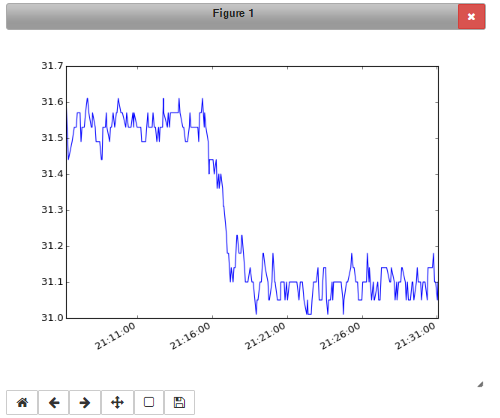
Matplotlib is a well known data plotting library for Python. As BAC0’s historical point data are pandas Series and DataFrames, it’s possible to use Matplotlib with BAC0. i.e. Showing a chart using matplotlib:
%matplotlib notebook
# or matplotlib inline for a basic interface
controller['nvoAI1'].history.plot()
Seaborn
Seaborn is a library built over Matplotlib that extends the possibilities of creating statistical trends of your data. I strongly suggest you have a look to this library.
Live trends with InfluxDB
BAC0 can periodically write point values to InfluxDB and you can create live charts in the InfluxDB UI or Grafana. For step-by-step setup, data model, write cadence, and dashboard examples, see InfluxDB.